1
Spot what is new.
Piktures notices new and changed photos and videos on the phone, in the background.
- Photos and videos from the phone’s folders
- Runs on its own, on the home Wi-Fi
Phone sync
Piktures, our Android app, sends new photos and videos to your Filamama server on its own, whenever the phone is home. Nothing lost, nothing sent twice.

How it works
Piktures asks before it sends. The server says what it already has, and only what is missing goes over the Wi-Fi.
1
Piktures notices new and changed photos and videos on the phone, in the background.
2
The phone sends a short list, without the files. The server answers for each one.
3
Only the missing files travel, one at a time, picking up where they stopped.
4
A file counts as backed up only once the server has checked it and written it to disk.
Pairing
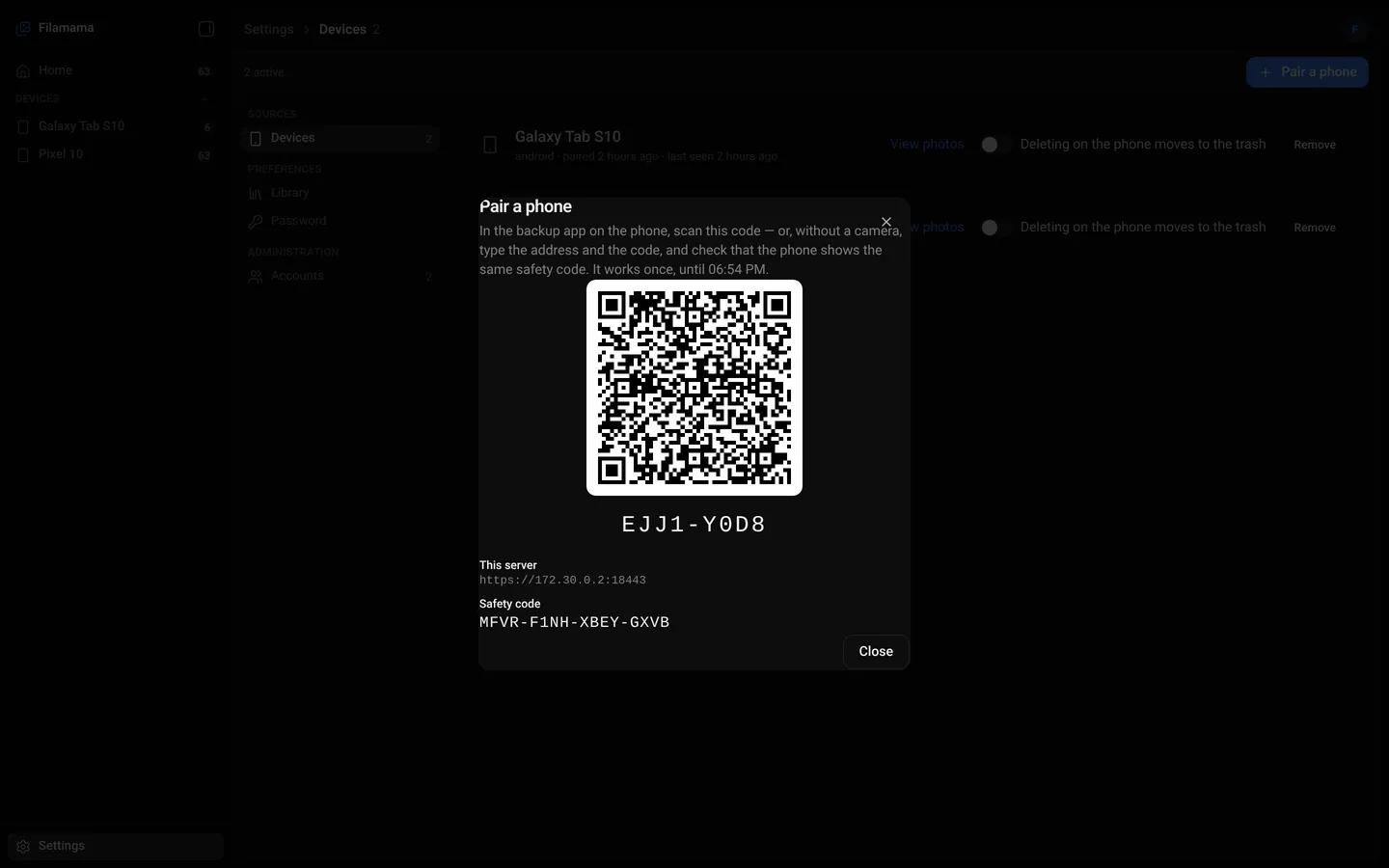
In the web app, Devices › Pair a phone shows a QR code. Piktures scans it and pins the server’s key: from then on, the phone talks to this server and no other.
After the first backup
Favourites and folder moves on the phone follow to the server. Deletions don’t, unless you ask.
For scripts
Phones and server speak DMSP, the Diune Media Server Protocol. dmsp is a command line on the same protocol, with JSON answers: pair, back up a folder and check the server.
Android now, with Piktures. An iPhone app is planned, on the same protocol.
$ dmsp backup ~/Pictures/Trips
$ dmsp status
No. Filamama answers on your home network only, so the phone backs up when it is home. Photos taken on a trip go to the server when you are back.
The server keeps every byte it received. Next time, the phone asks where it stopped and sends only the rest, even after a restart.
No. A backup outlives the phone. You can turn on mirroring for one device; then a deletion on the phone moves the photo to the server’s trash, which only you empty.
Yes. The server recognises a photo by its content, so a picture already sent by another of your phones is not sent again.
Not yet. Sync is Android only for now, with Piktures. An iPhone app is planned, on the same protocol. The web library works in any phone browser.