Features
A home media server for every photo and video.
Everything Filamama does today, in one place: the library, sync from your phone, agents, and what stays private. Stunning, fast, easy to use, beautiful and free.
The library
Photos and videos, beautifully laid out.
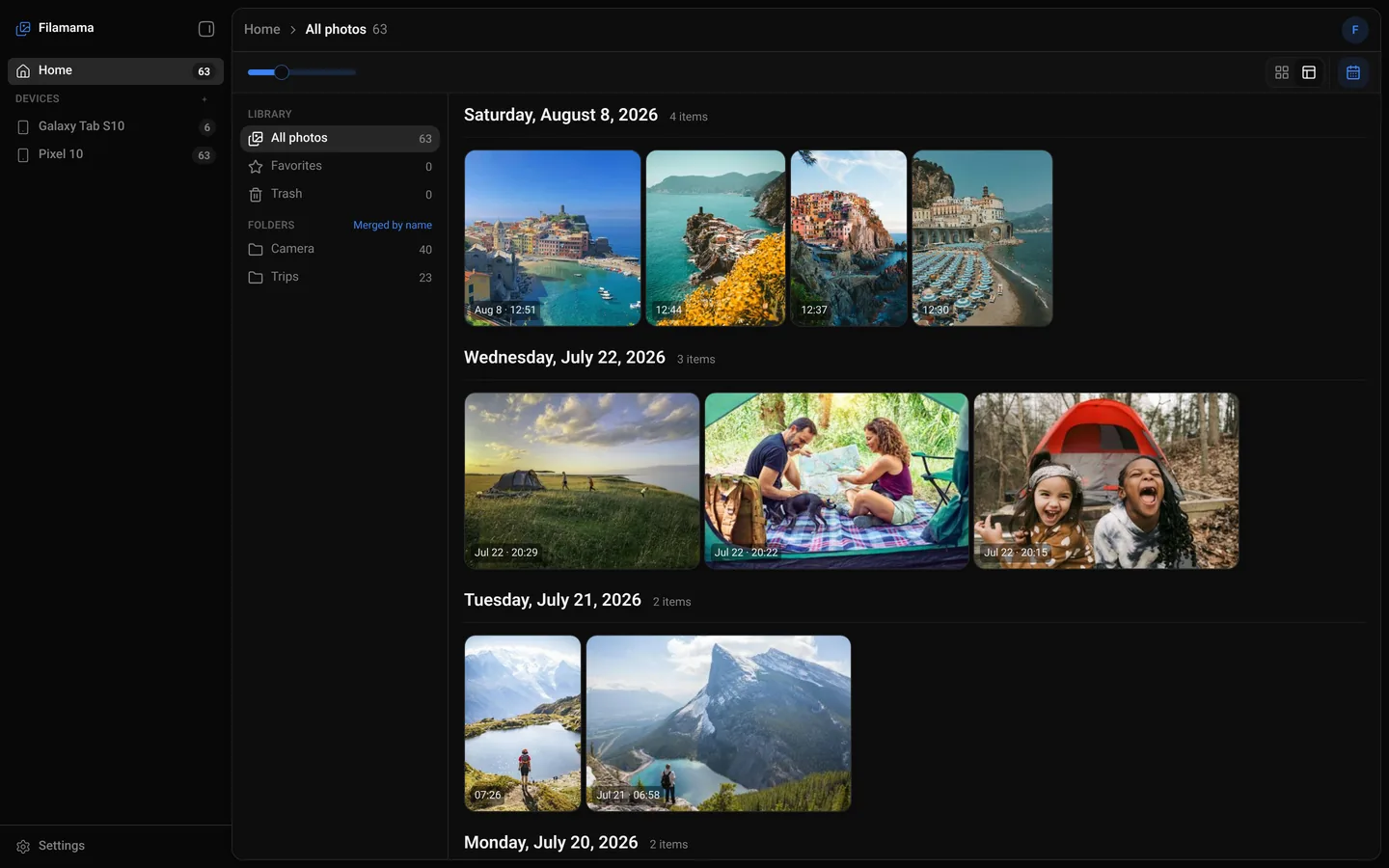
Everyone at home opens their own library in a browser. It's fast because it all comes from a computer in your house, over your own Wi-Fi.
- A timeline by the date each photo was taken
- Mosaic view and a zoomable grid
- Open a photo to see its date, size, camera and folders
- The phone's folders as albums
- Favourites, trash and download
- Videos play in the browser; the server makes a playable copy of any a browser can't play
- Light and dark themes, and a layout for phone browsers
Sync included
The phone backs itself up.
Piktures, our Android app, backs up new photos and videos to your Filamama server on its own, whenever the phone is home.
- Automatic, in the background
- Resumes at the exact byte where it stopped, after a dropped Wi-Fi or a restart
- Checks with the server first, so nothing it already has is sent again
- Pair a phone with a QR code, or a typed code checked with a safety code
- A deletion on the phone deletes nothing on the server, unless you turn that on for the device; then it goes to the trash
- Android now. iPhone later.

Households
One server, every member.
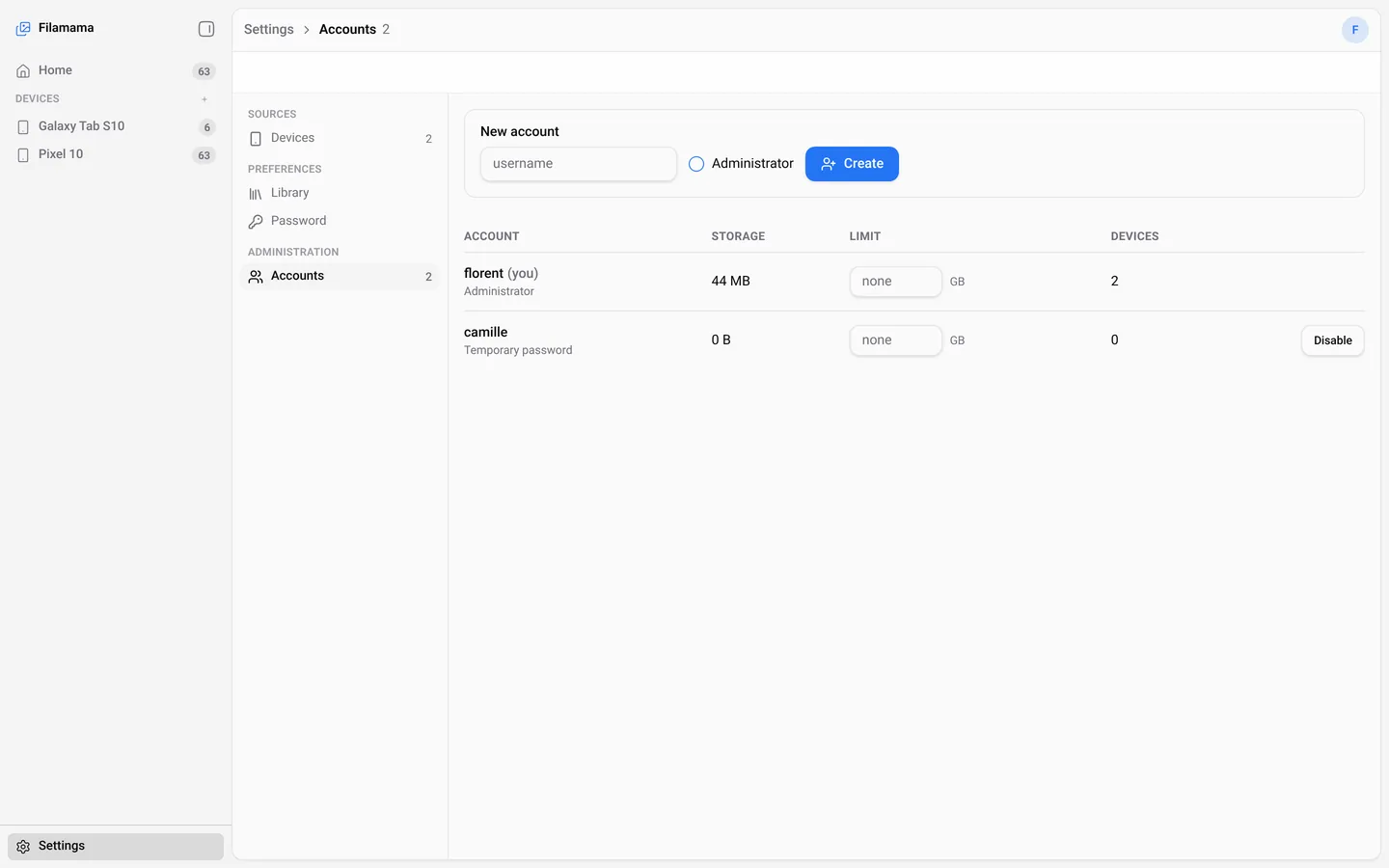
Each person at home has their own account and their own library. An administrator creates the accounts.
- Own timeline, folders, favourites and trash for each person
- Each phone is paired to one account
- Storage limits in GB, per account
- Remove a device and it stops at once; what it backed up stays
Agent friendly
Agents can run it.
Filamama comes with a command line, dmsp, that speaks the same protocol as the phones and answers in JSON. An AI agent or a script can use it like any other tool.
dmsp pairpairs a device, by QR payload or by code, with the safety code confirmeddmsp backupbacks up a folder, resumable, with nothing sent twicedmsp changesreports deletionsdmsp statusshows the server's limits and what is still in flight- Originals in plain folders and one SQLite database, easy for a script to read
$ dmsp backup ~/Pictures/Trips
{
  "files": 6,
  "known": 0,
  "linked": 6,
  "sent": 0,
  "failed": [],
  "bytesSent": 0
}
Privacy
It stays in the house.
Filamama runs on your network and talks to your devices. Nothing else.
- Home network only, by design: no remote access, no tunnel
- TLS everywhere, with the server's key pinned on each phone
- Pairing codes work once, for ten minutes
- Originals stay in plain folders you can read without Filamama
- The database is backed up every day, keeping the last five
- 0outbound calls
- 0telemetry
- 0update checks
- 0accounts with us
Runs everywhere you already are
Runs on the box you already own.
One program and one database, installed natively. A Mac mini, a Linux box or a Spark becomes the family's home media server.

Not yet.
These are not in Filamama today. Sharing, search, people, a map and the iPhone app are planned.
- Sharing between peoplePlanned
- SearchPlanned
- People and facesPlanned
- MapPlanned
- iPhone appPlanned
- HEIC previews on LinuxNot yet
- Movies, TV shows, musicNot in Filamama
- Access away from homeHome only, by design